Etsy says you sold $4,000.
How much did you keep?
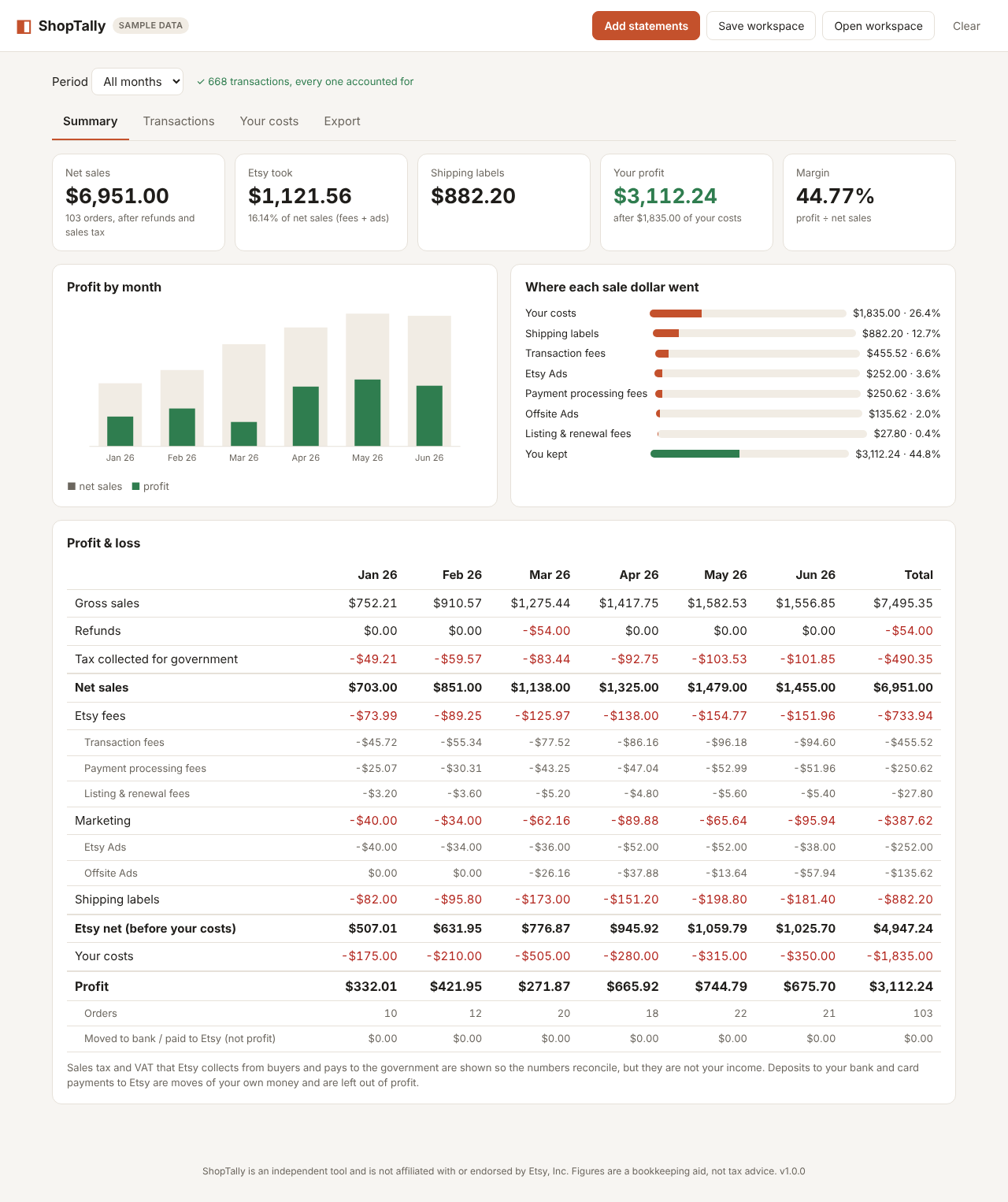
Drop in your Etsy monthly statement CSVs. ShopTally sorts every transaction fee, processing fee, Offsite Ads charge, shipping label, refund and sales-tax line, and shows your real profit by month.
ShopTally is in prelaunch and no payments are accepted yet. The free version opens right here and reads your file on your own device; its security policy blocks every network connection. Prefer offline? Download it.
Why sellers get their profit wrong
Sales tax looks like income
The sale amount includes tax Etsy collects for the government. Count it and your revenue is inflated. ShopTally separates it.
Fees hide in dozens of rows
Transaction fees, processing fees, renewals, regulatory fees, VAT on fees, and the credits when you refund. ShopTally totals each one.
Deposits are not profit
Money sent to your bank and card payments to Etsy move your own cash around. ShopTally leaves them out so they don't double-count.
What you get
Every month at once
Load a year of statements in one drop. Duplicate files are skipped automatically.
A check that it adds up
Every row lands in exactly one category, and ShopTally tells you if the totals ever don't match the statement.
Your own costs
Add materials and packaging by month to see true profit and margin.
Accountant-ready exports
P&L and categorised transactions as CSV for Excel, Google Sheets or your bookkeeper. Print to PDF.
Fix anything once
Re-label an unusual row and the rule sticks for every future month.
Private by design
One file that works offline. It is technically blocked from sending data anywhere.
How it compares
| ShopTally | Spreadsheet templates | Inventory/accounting subscriptions | |
|---|---|---|---|
| Price | $24 once | Usually a one-time price | Monthly fee |
| Getting your data in | Drop the CSV files | Copy and paste each month into a tab | Connect your shop |
| Where your data goes | Stays on your computer | Your Google or Excel account | Their servers |
| Setup time | About a minute | Varies | Longer: inventory, materials, recipes |
| Best for | Knowing your real profit | DIY spreadsheet users | Makers who need inventory and COGS tracking |
If you need inventory and materials costing, a subscription tool is the better fit. ShopTally does one job: show what you kept.
- Unlimited months and shops
- P&L and transaction exports, print to PDF
- Workspace backup file
- Mac, Windows, Linux, Chromebook: any modern browser
- 30-day no-questions refund
Not sure? The free version shows your latest month, so you can check it against Etsy first.
Guides
Etsy monthly statement, explained
Every column and row type, and why sales tax and deposits are not income.
Etsy fee calculator
Fees, net and margin for one sale, with every rate editable.
Etsy profit spreadsheet vs tools
Templates, subscriptions, or a one-time report: which fits.
Questions
Where do I find the statement CSV?
Shop Manager → Finances → Monthly statements. Pick a month and click Download CSV. Repeat for each month.
Is my data uploaded anywhere?
No. ShopTally is a single file that runs in your browser. Its security policy blocks every network connection. You can turn your Wi-Fi off and it still works.
Does it work outside the US?
Yes. It handles any currency Etsy reports in and keeps a separate report per currency. It separates VAT and GST collected from buyers and shows VAT charged on Etsy fees.
Will it do my taxes?
No. It gives you clean, categorised numbers to hand to your accountant or tax software. It does not give tax advice.
What if Etsy adds a new kind of row?
Unknown rows are flagged as Unclassified instead of guessed. Pick a category once and ShopTally remembers it.
Is ShopTally made by Etsy?
No. ShopTally is independent and not affiliated with or endorsed by Etsy, Inc.
Get the launch notification
Join the list for one email when ShopTally opens for paid purchases. No newsletter and no spam.